Bitly shortens links.
AffiManager protects your revenue.
Bitly is a link shortener built for social media teams. It makes long URLs short and branded. That is the entire product. AffiManager is an affiliate asset manager. It monitors link health daily, tracks clicks per placement, organizes vendors into catalogs, and alerts you the moment a destination breaks. One tool shortens. The other protects income.
Feature-by-Feature Comparison
Ten operational features that separate a link shortener from an affiliate asset manager.
404 Broken Link Monitoring
Automated checks for dead destinations.
Nested Catalog Organization
Group links by niche or project.
Dynamic Placement Tracking
Append /youtube, /email, /twitter to any link.
Redirect Speed
Time from click to destination.
Custom Domains
Use your own brand domain.
Click Analytics by Source
Know which channel drives traffic.
Deep Link Health Checks
Detects 403/429 proxy blocks.
Bulk Link Management
Organize hundreds of links efficiently.
Pricing Transparency
What you actually pay per month.
Built for Affiliates
Purpose-built for affiliate workflows.
Organization
The Organization Problem
Bitly stores every link you create in a single chronological list. After a few months of active affiliate marketing, you end up with hundreds of shortened URLs that all look the same: bit.ly/3xK9mP2, bit.ly/4yT8nQ1. Finding the right link means scrolling, searching, and hoping the title you entered three months ago still makes sense.
AffiManager uses a hierarchical structure designed for how affiliates actually work. You create Catalogs (like "Best SaaS Tools" or "Photography Gear"), add Vendors to each catalog (like "Notion" or "Adobe"), and then manage Links under each vendor. The URL itself reflects this structure: /go/best-saas/notion/main. You can see exactly what a link does just by reading it.
The same vendor can appear in multiple catalogs. Your Notion affiliate link can exist in both "Best SaaS Tools" and "Productivity Apps" with separate click tracking for each catalog. Bitly has no equivalent for this.
Which one is Notion?
Instant clarity.
Revenue Protection
Revenue Protection Bitly Can't Offer
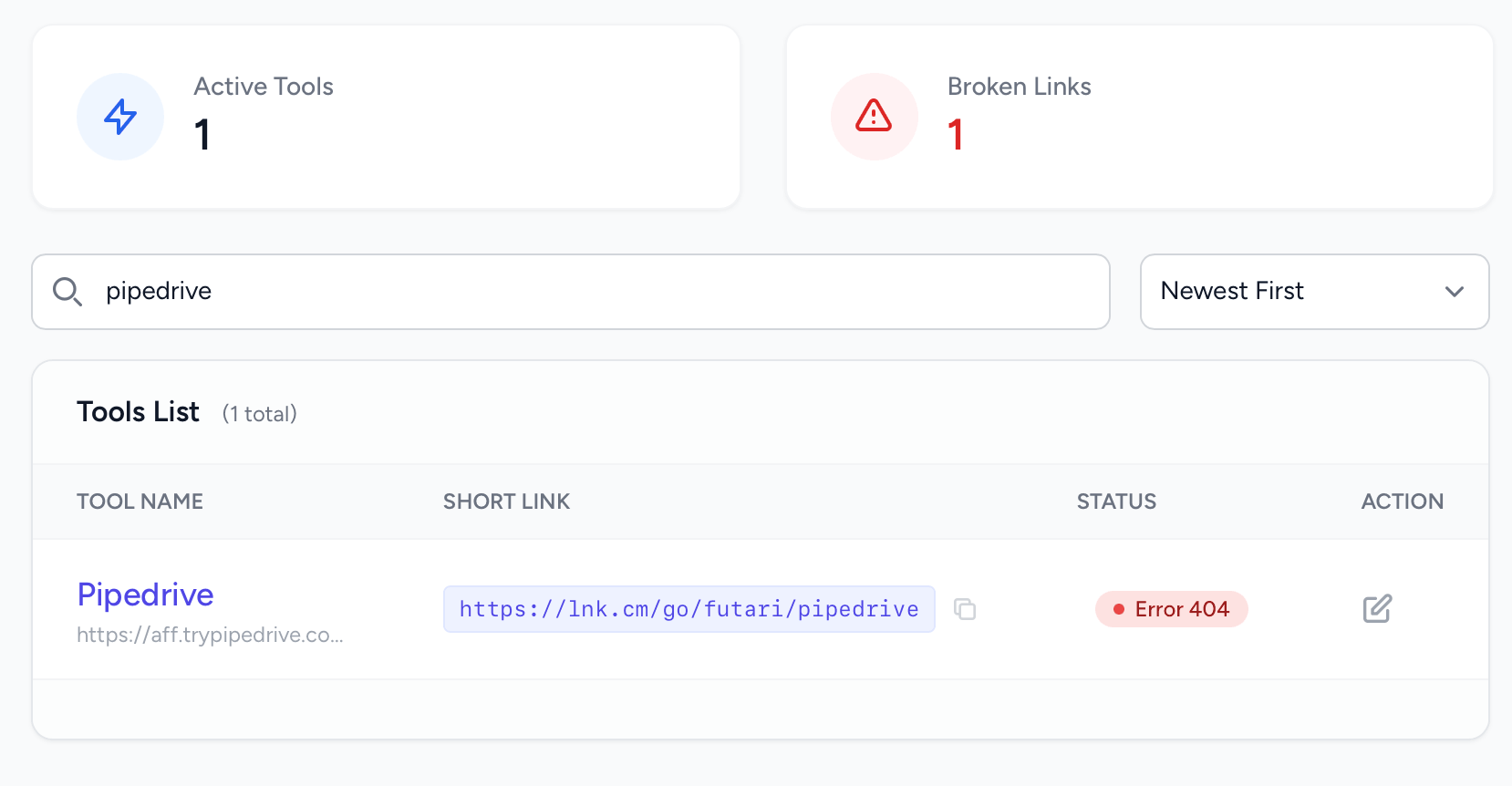
Affiliate programs change their URL structures without warning. A vendor migrates to a new platform, updates their tracking domain, or sunsets a product page. When this happens, every link pointing to the old destination starts sending your traffic to a 404 error page. You lose the click, you lose the commission, and you probably lose the reader's trust.
Bitly does not check where your links land. It faithfully redirects traffic to whatever URL you originally entered, broken or not. There is no alert system, no health dashboard, and no way to know that a link stopped working until you manually check it or a reader complains.
AffiManager runs automated health checks on every link. Our system uses a multi-stage approach: a fast HEAD request first, then a full GET request if needed, and finally a residential proxy check to detect 403 Forbidden and 429 Rate Limited responses that standard monitoring misses entirely. If a destination breaks, you receive an immediate notification.
This matters because many affiliate platforms use aggressive bot detection. A standard uptime monitor pinging from an AWS data center gets blocked silently. The server returns a 200 OK to the bot while showing a Cloudflare challenge page to your actual visitors. AffiManager detects this discrepancy by simulating real browser traffic through residential IP addresses.
Placement Tracking
One Link, Every Channel
When you promote the same affiliate product across YouTube, email newsletters, blog posts, and social media, you need to know which channel is driving results. With Bitly, the standard approach is to create a separate shortened link for each placement and manually tag them with UTM parameters. That means four links for one product, four entries in your dashboard, and four things to manage when the destination URL changes.
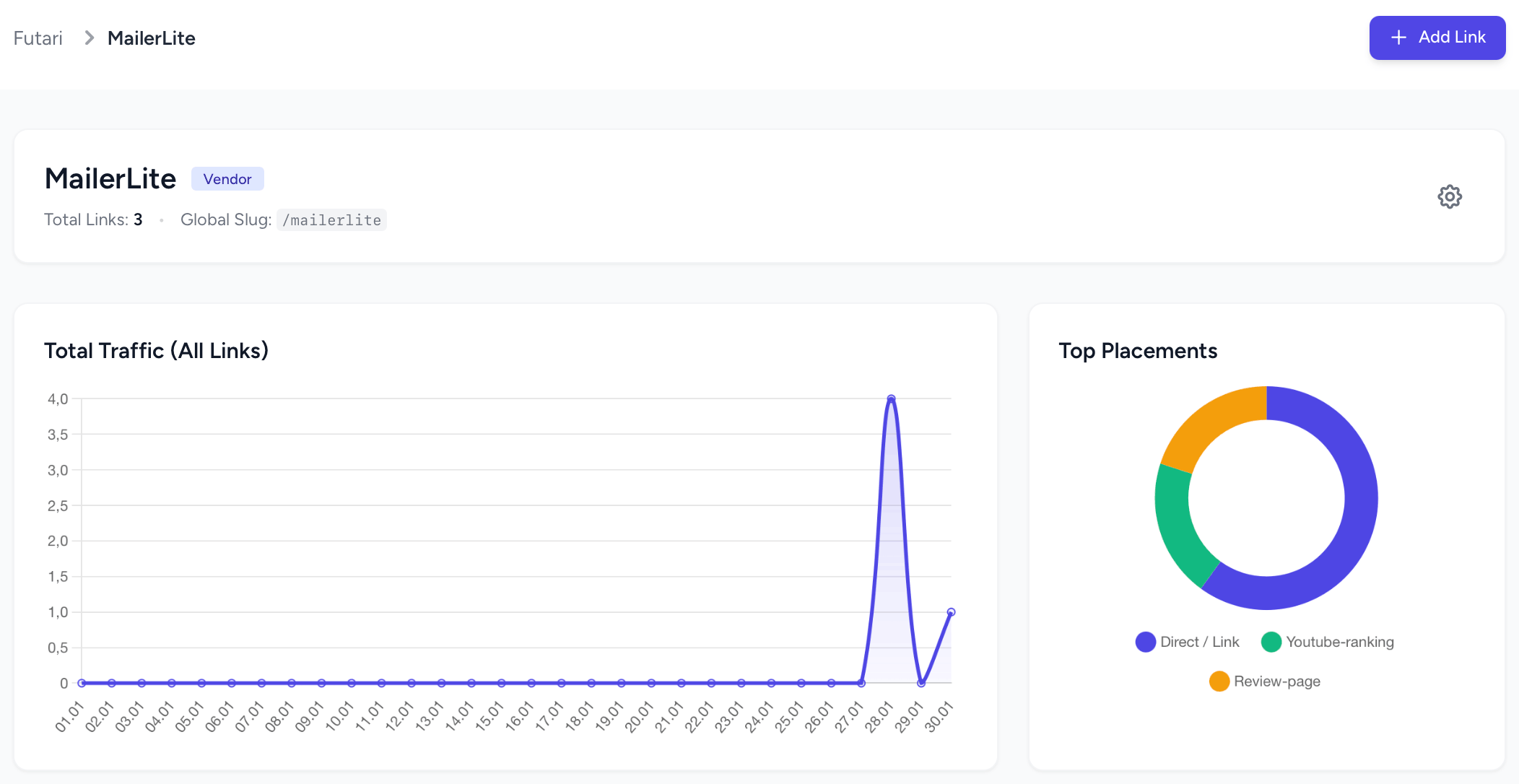
AffiManager handles this differently. You create one link for a vendor, and then append a placement suffix to the URL when you share it. The same base link works everywhere:
All four placements use the same destination URL. If the vendor changes their link, you update it once. Click analytics are broken down per placement automatically. No UTM chaos, no duplicate links, no manual reconciliation.
Pricing
Pricing That Makes Sense for Affiliates
Bitly's free tier allows 10 links per month with no custom domain support. For an affiliate marketer promoting dozens of products, that is exhausted on day one. The Core plan at $35 per month adds custom branded links and more volume, but features like advanced analytics and link redirects cost extra. If you need custom domains and team features, you are looking at enterprise pricing that is not publicly listed.
AffiManager was priced for independent affiliates and small teams. The Starter plan at $15 per month includes unlimited links, catalog organization, click analytics, and broken link monitoring. The Professional plan at $39 per month adds custom domains, priority health checks, and higher API limits. There are no hidden add-on fees and no per-link pricing that punishes growth.
The real cost difference is in what you get. Bitly at $35 per month gives you shortened links and basic analytics. AffiManager at $15 per month gives you link health monitoring, catalog hierarchy, placement tracking, and redirect caching. The feature gap is not close.
- ✓ Link shortening
- ✓ Basic analytics
- ✓ Custom back-halves
- ✕ Broken link alerts
- ✕ Catalog organization
- ✕ Placement tracking
- ✕ Custom domain included
- ✓ Clean redirect URLs
- ✓ Per-placement analytics
- ✓ Catalog organization
- ✓ Broken link monitoring
- ✓ 403/429 proxy detection
- ✓ Redis-cached redirects
- ✓ Unlimited links
Also Compare AffiManager To
See how AffiManager stacks up against other tools affiliate marketers commonly use:
- AffiManager vs TinyURL -- Why generic shorteners hurt your click-through rate
- AffiManager vs Rebrandly -- Branding tools vs revenue protection for affiliates
- AffiManager vs WordPress Plugins -- PrettyLinks & ThirstyAffiliates comparison
- AffiManager vs Spreadsheets -- Moving beyond manual link management in Excel and Sheets
- Why Your "200 OK" Status Is Lying -- How silent 403 blocks drain affiliate revenue
Frequently Asked Questions
Common questions about switching from Bitly to AffiManager.
Can I migrate my Bitly links to AffiManager?
AffiManager is not a drop-in replacement for Bitly short links. The two tools use fundamentally different URL structures. Instead of migrating old shortened URLs, you create new vendor entries in AffiManager with your destination URLs. Because AffiManager uses a semantic URL pattern (/go/catalog/vendor/link), you would update the links in your content to point to your new AffiManager redirects. Most affiliates do this gradually, starting with their highest-traffic placements first and working through the backlog over a few weeks.
Does AffiManager shorten links like Bitly?
AffiManager creates clean redirect URLs, but pure shortening is not the primary goal. The URL structure is /go/catalog/vendor/link, which is human-readable and descriptive. If you use a short custom domain (like go.yourbrand.com), the resulting URLs are compact enough for any platform. The real value is that each redirect is monitored for health, tracked per placement, and organized inside catalogs. Bitly gives you a shorter URL. AffiManager gives you operational control over an asset.
Why is AffiManager better for affiliate marketers than Bitly?
Bitly was designed for social media managers and marketing teams who need branded short links. It does not monitor whether your destination URLs are returning 404, 403, or 429 errors. It does not organize links into catalogs by niche or project. It does not let you append placement suffixes like /youtube or /email to track which channel drives clicks. AffiManager was built specifically for affiliate marketers who treat their links as revenue-generating assets that need daily monitoring, structured organization, and granular per-channel analytics. The tools solve different problems for different audiences.
How does AffiManager pricing compare to Bitly Business?
Bitly's free plan is limited to 10 links per month with no custom domains. Their Core plan starts at $35 per month for branded links and improved analytics, but custom domains and advanced features require higher tiers with enterprise pricing. AffiManager starts at $15 per month with unlimited links, full catalog organization, click analytics with placement tracking, and automated broken link monitoring. Custom domains are available from the $39 per month Professional plan. For an affiliate managing hundreds of links across multiple niches, AffiManager delivers substantially more operational value at a lower monthly cost.
Stop Shortening. Start Managing.
Your affiliate links are revenue assets, not social media accessories. Treat them accordingly with automated monitoring, structured organization, and per-channel analytics.
Start Today
Full access to all features. Broken link monitoring active from day one. Cancel anytime.
Start Your AffiManager TrialNo credit card required for the trial period. Set up your first catalog in under two minutes.